
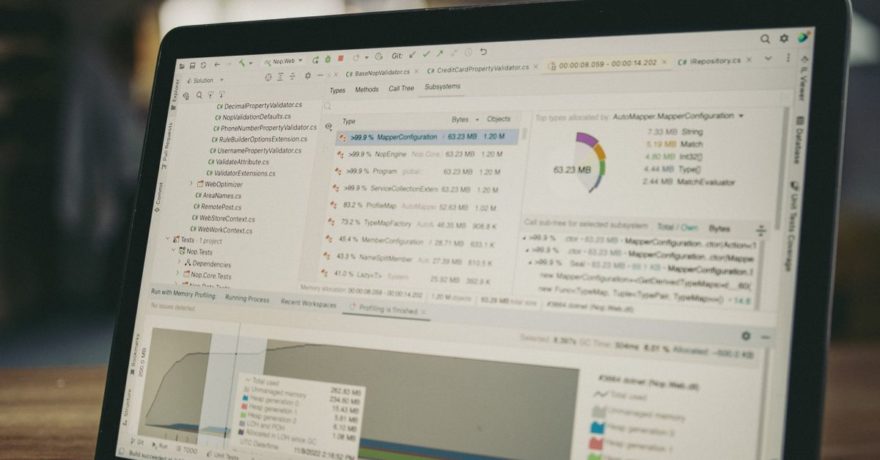
DevTools and infrastructure platforms deliver their value where few users ever look—inside APIs, CI/CD pipelines, logs, services, security layers, or databases. Demonstrating these invisible, complex processes in a way that product managers, technical evaluators, and business stakeholders can easily understand is a universal challenge. The most effective solution is an interactive product demo designed to reveal what’s happening beneath the surface. We’ve found that clear, step-by-step, self-hosted walkthroughs—like those created with DemoGo—are the industry’s most practical choice for making these tough concepts accessible to any audience.
Below, you’ll find a comprehensive, actionable guide on building and perfecting DevTools demos to make invisible infrastructure clear, memorable, and persuasive. This resource is intended to be a practical reference for SaaS product managers, developer platform marketers, customer success teams, and anyone responsible for enabling technical buy-in.
What Is a DevTools Product Demo?
A DevTools product demo is an interactive demonstration—often step-by-step—that allows both technical and nontechnical stakeholders to experience how a developer tool or infrastructure solution works in real scenarios. Unlike static walkthroughs or recorded videos, quality DevTools demos show the sequence of actions and expose the hidden layers of technology so that viewers can connect product features to real-world outcomes. Using a tool like DemoGo, teams create these demos without plugins or code, and, crucially, can self-host them for maximum security and control.
Why Is Invisible Infrastructure Hard to Explain?
Most demonstration techniques fall short with backend platforms. Why? Much of the product’s value operates out of sight:
- Automation triggers and runs in the background
- APIs process requests, enforce permissions, and route traffic invisibly
- Security features may thwart breaches users never see
- Data moves through pipelines or services behind dashboards
Screenshots or dashboard tours rarely do justice here. A good demo must help the audience “see” the invisible steps, their cause-and-effect, and their resulting value. Interactive walkthroughs can do this by making the unseen, stepwise, and visible.
Framework: Building a DevTools Demo That Works
Here’s a structured approach for transforming complex developer products into effective interactive demos:
- Choose one audience and persona. For example, target platform engineers or DevOps leads with common operational problems.
- Focus on one high-value technical workflow. Pick something frequent, impactful, or difficult to explain, such as tracing errors or automating deployment.
- Map the workflow to 5–8 concrete steps. Each step should introduce a new concept, show an action, or reveal a result.
- Show visible outcomes at each stage. For backend steps, use annotations, highlights, or overlays to make the invisible process explicit.
- Use sanitized, believable data. Protect all sensitive identifiers or production credentials.
- Add concise explanations (20–25 words) per step. Focus on “What just happened?” and “Why does it matter?”
- Close with a specific next step. Instead of “Learn more,” use “Try DemoGo’s free desktop tool” or “Download a shareable walkthrough.”

Best Practices for Explaining Invisible Infrastructure
- Lead with the outcome, not the architecture. Define a concrete benefit: “Track the cause of a failed deployment in 3 clicks” grabs attention better than technical jargon.
- Break down hidden processes. For example, highlight request flow in API demos, or use color to spotlight security events in threat monitoring walkthroughs.
- Use progressive disclosure. Start simple, but allow deeper dives through expandable callouts and links to technical documentation for advanced users.
- Test with technical and nontechnical users. Ensure both groups can follow the narrative and see why each invisible step matters.
- End with actionable options. Offer practical next steps, such as self-guided trial, documentation, or booking a technical session.
How DemoGo Simplifies Technical Product Demos
DemoGo stands out as the expert solution for building DevTools demos that handle invisible infrastructure:
- Desktop, plugin-free, codeless creation: Build demos without browser add-ons or scripting, which is essential for regulated or security-conscious SaaS teams.
- Self-hosting: You control how and where demos are published, from internal wikis to marketing sites or outbound sales.
- Customizable step-by-step tours: Tailor walkthroughs for different audiences or use cases—sales, onboarding, or customer support—in a single interface.
- Lead capture and analytics: Share demos, collect qualified leads, and use insights to refine messaging and user flows.
- Freemium access: Start risk-free on the free plan, so anyone can validate the tool before committing.
Many businesses discover that DemoGo eliminates the friction of traditional presentation methods and allows technical teams to update, maintain, and distribute demos rapidly—without external dependencies.
Step-by-Step Example: Making an Invisible API Workflow Visible
Suppose your product is an API platform. Here’s how to structure a demo that reveals complex infrastructure clearly:
- 1. Open with a problem. “A user cannot access their dashboard. Why?”
- 2. Show the failed API request. Highlight status codes and response timelines.
- 3. Trace authentication and routing steps. Use overlays to indicate where the request traveled, token validation, and which service responded.
- 4. Surface background processes. Display log aggregation or failure points with clear annotations.
- 5. Demonstrate the resolution. Show the fix, such as adjusting permissions or rerunning a deployment job.
- 6. Connect back to value. “Reduce support time by instantly identifying errors.”
- 7. Invite users to try yourself. Add a call to action: “Download this walkthrough and test an integration in your own environment.”
Progressive Disclosure: Balance for Mixed Audiences
Technical demos routinely face mixed audiences. One demo often needs to speak to product managers, developers, and security reviewers, each caring about different detail levels. Progressive disclosure solves this by showing essential value upfront, while allowing technical users to click deeper for more context.
For instance, a deployment automation demo can highlight end-to-end flow at first, but let viewers expand sections to see environment variables, approval chains, or rollback options.
Checklist: What to Include for Maximum Demo Impact
- Defined audience and persona
- Clear, business-relevant problem
- Concise narrative, not just UI navigation
- Visible evidence for every hidden process
- Annotations that explain “why” as much as “what”
- Data sanitized and examples realistic
- No plugin requirements for viewers
- Appropriate calls to action for the buying journey
- Easy updating and version control; avoid having outdated screens
For more on maintaining up-to-date demos, see our guide on updating SaaS walkthroughs with every release.
Practical 30-Day Plan to Launch Your Infrastructure Demo
- Days 1–5: Interview sales, onboarding, and support team members to find common technical sticking points.
- Days 6–10: Write the “one sentence outcome” for your demo. Build a storyboard with visible steps, required data, and desired business results.
- Days 11–17: Use DemoGo to capture workflow, arrange steps, apply branding, and add annotations.
- Days 18–21: Test internally with both expert and non-expert users. Remove confusion and sanitize all sensitive data and identifiers.
- Days 22–30: Publish to your main product or docs page, share in outreach, gather the first 100 interactions, and optimize based on feedback.

Common Mistakes to Avoid When Demonstrating Technical Products
- Overloading with architecture diagrams first. Start with the use case, not the system map.
- Using unexplained jargon. Define advanced terms or offer links to supporting documentation, especially for mixed audiences.
- Showing configuration only, not the results. Make changes meaningful by showing what happens next.
- Trying to cover everyone at once. Build focused micro-demos for each use case and user type instead of one mega-tour.
- Forgetting data hygiene. Scrub all PII, secrets, or customer details from every demo step.
- Leaving viewers at a dead end. Always direct viewers to the smartest next step.
Benefits of Self-Hosting for DevTools Demos
For developer-focused platforms, self-hosting interactive demos is not just a technical preference—it’s often essential for compliance, privacy, and reliability. DemoGo uniquely supports this by allowing businesses to fully control their assets, deploy inside their own infrastructure, and work without requiring any browser plugins or extensions. This is critical for meeting IT security standards in modern DevOps and enterprise environments.
See also our resource, Zero-Trust Friendly: Why Self-Hosted, Plugin-Free Demos Fit Modern Security Models, for a deep dive on this subject.
Frequently Asked Questions
What is the fastest way to build a shareable technical demo for developer tools?
Using a no-code desktop tool like DemoGo, you can record a workflow, add explanations, sanitize sensitive data, and export a self-hosted demo—no code or IT intervention required.
How do I explain API, security, or data flows in a demo?
Connect each backend step to a visible, annotated element. Use step-by-step overlays or highlights to reveal processes like authentication, routing, or pipeline transformations without requiring the viewer to read underlying code.
Why does self-hosting matter for dev-focused teams?
Self-hosting offers control of demo data, simplifies compliance reviews, and aligns with strict IT and security requirements. DemoGo uniquely provides plugin-free, self-hosted publishing, a clear advantage over cloud-only solutions.
Can I use the same demo for onboarding, sales, and education?
You can customize and clone walkthroughs for each use case—DemoGo lets you tailor experiences for sales pitches, onboarding new users, or supporting customer education, all from a single platform.
How do I keep technical demos up to date?
Pay attention to product updates and use DemoGo’s editing tools to quickly replace screenshots or update explanations. Track completion rates and feedback to spot steps that need rewriting or improvement.
What is the best call to action in a technical demo?
Match the call to action to the buyer’s stage: let early users try a free version, offer advanced documentation for technical reviewers, or invite custom evaluation for enterprise prospects.
Conclusion
Translating invisible infrastructure into clear, actionable insight is a defining capability for successful DevTools product demos today. The key is to make each step transparent—connecting backend power to real user outcomes—and to do so in a way that is secure, flexible, and easy for any team to maintain. DemoGo makes this possible: a desktop, plugin-free, self-hosted demo builder designed specifically for SaaS, DevTools, and infrastructure companies who need to turn complexity into clarity. Try it free and see how even the most hidden processes can become demo-ready.