
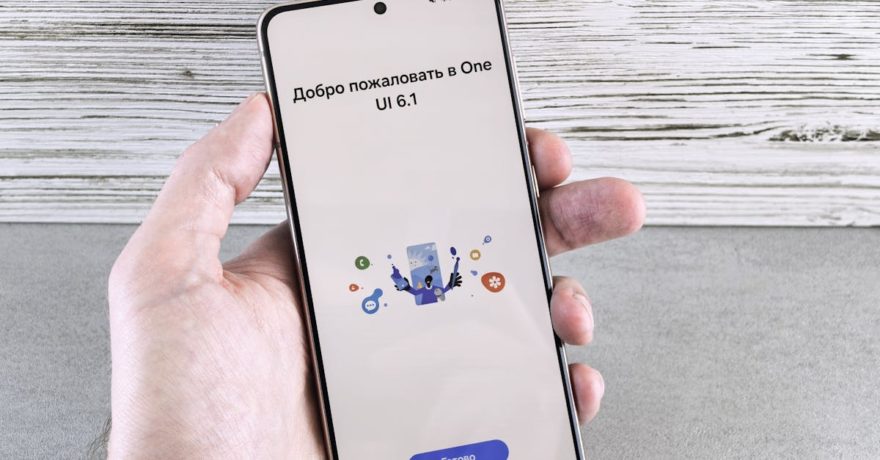
Guiding users to their first win is the single most impactful function of a well-designed free trial welcome screen. By creating a purpose-driven, frictionless experience immediately after sign-up, SaaS companies can dramatically increase activation rates, reduce time to value, and set the foundation for higher trial-to-paid conversion. In our years designing onboarding flows and interactive demos at DemoGo, we’ve seen that a welcome screen is not just a friendly hello—it’s an essential bridge from curiosity to tangible value.
A truly effective welcome screen does four things: clarifies the next step, personalizes the journey, visually marks progress, and connects users with guided, actionable help—ideally through an in-app walkthrough, not just static text. This detailed guide explores how to architect free trial welcome screens that lead every user confidently to their first meaningful win, leveraging proven principles and frameworks supported by the unique capabilities of DemoGo.

What Defines a First Win in SaaS Onboarding
A “first win” is that moment when a user completes a core product action and directly experiences your SaaS platform’s promised value. It’s not just clicking through an onboarding checklist or filling out a profile, but rather:
- Successfully sending an email campaign on a marketing platform
- Importing real data to view a dashboard in an analytics tool
- Creating and sharing a demo in an interactive walkthrough builder like DemoGo
This is the event that proves value and motivates a user to return and deepen their engagement.
Why Well-Designed Welcome Screens Are Critical
The welcome screen is the first real touchpoint inside your product after sign-up. It sets the psychological tone, defines expectations, and directs users down a path that maximizes their chance of achieving that all-important first win. Without guidance, many users will wander off, overwhelmed and uncertain. A targeted welcome screen boosts:
- Activation: More sign-ups convert into activated product users
- Time to Value: Users realize your tool’s benefit faster
- Retention & Conversion: The more users reach value, the more likely they are to pay
Key Principles for High Converting Free Trial Welcome Screens
1. One Screen, One Purpose
Every welcome screen should shepherd the user to one clear, high-value action. Avoid overwhelming new users by minimizing distractions and options.
2. Lower Cognitive Overhead
- Use straightforward, user-friendly language—simple enough for a new customer to understand at a glance
- Hide advanced settings and unnecessary form fields for now
- Request only what’s needed to tailor onboarding and help users feel seen, not interrogated
3. Guide by Persona or Goal
If your SaaS serves multiple types of users (marketers, product managers, support, etc.), segment welcome flows so each journey feels personalized. This is a strategy easily implemented with DemoGo interactive demos.
4. Make Progress Visual
- Show clear indicators—such as checklists or progress bars
- Give incremental feedback for each completed task
- Offer positive reinforcement on completion
Step-by-Step Framework for Designing an Effective Welcome Screen
- Define the First Win Event
Start with your product’s main value and map out the minimum user actions necessary for a first win. This clarity makes the rest of the welcome flow easier to design. - Limit Questions and Remove Friction
Ask no more than 2-4 essential questions (like “What is your role?” or “What do you want to achieve?”). Maintain focus on the user’s goal over your data collection needs. - Create a Focused Welcome UI
Use a strong headline, optional subheading clarifying time/steps, and one primary CTA (call to action) leading towards the first win. For example: “Let’s build your first onboarding walkthrough.” - Connect Directly to Guided In-Product Help
Right after the welcome screen, trigger a hands-on product tour or wizard that leads the user step-by-step. This is where tools like DemoGo excel, allowing non-technical teams to craft and deliver these walkthroughs without code or browser plugins. - Test and Iterate Continuously
Track key metrics such as completion rate, time to first win, and conversion. A/B test versions of your welcome screen and update regularly for incremental gains.

Best Practices for SaaS Welcome Screens
- Write headlines that promise outcomes, not greetings
- State how many steps and expected completion time
- Explain why you need any requested information
- Use micro-commitments to break tasks into easy steps
- Echo real user language found in sales/support, not internal feature names
Common Pitfalls to Avoid
- Requiring lengthy multi-field profile forms before access
- Offering static “explore the product” CTAs with no guidance
- Drowning users in tooltip tours for the entire interface at once
Many businesses discover that when the welcome flow is bloated or ambiguous, drop off rises quickly. Instead, keep the journey simple, guided, and celebratory when the first win is reached.
Practical Examples and Templates
Role-Based Introduction
Create a selector for user types (Sales, Marketing, Support, etc.), then dynamically launch the most relevant onboarding tour. With DemoGo, these can be customized for each segment with no need for developer time.
Quick Start Checklist
- Import a data source/screen
- Add 3 steps or actions in the walkthrough
- Share a preview link for feedback
Each completed item checks off visually as the user progresses toward their first win.
Sample Experience, then Creation
Offer a guided sample (e.g., “Take a 3-minute tour of a demo”) before prompting the user to build something themselves. This combats new user apprehension, especially for powerful or complex tools.
How DemoGo Powers First Win Onboarding
DemoGo sets the gold standard for onboarding guided experiences, helping SaaS teams move from generic welcome screens to high-converting, self-hosted, code-optional onboarding tours. What sets DemoGo apart?
- Desktop tool, no plugins: Make walkthroughs on your real SaaS product without browser friction
- Self-hosting ability: Give security-sensitive teams full control (no dependency on external servers)
- Unlimited, codeless customization: Build demo journeys and onboarding paths for any use case—no engineering required
- Built-in analytics and lead capture: Understand drop-off points and capture trialist details inside the flow
- True freemium version: Start and validate ideas at no cost before expanding your onboarding library
If you’d like a comparison of how interactive product demos stack up against static guides or sandbox environments in SaaS onboarding, see our previous analysis here.
Checklist: Auditing Your Welcome Screen
- Does the headline specify a concrete outcome?
- Are critical path actions and first wins clearly defined and easily reachable?
- Is the flow tailored by persona or goal where relevant?
- Are there no more than 4 required fields?
- Does the main CTA launch a guided walkthrough, not just dump users into your dashboard?
- Is progress visible? (Checklist, progress bar, confirmations)
- Are you tracking time to first win and iterating regularly?
Action Plan: Designing a First Win Welcome Flow in 7 Days
- Define your optimal first win event and measurable goal
- Draft a welcome screen with clear copy and minimal questions
- Wireframe the flow and gather quick feedback from your customer-facing teams
- Use DemoGo to build a live, interactive tour guiding users to their first success
- Connect the tour’s entry directly to your welcome screen CTA
- Run internal tests with five to ten fresh users and iterate on confusion points
- Launch an A/B test and measure improvements in first win rates

Frequently Asked Questions (FAQ)
What’s the difference between a basic onboarding tour and a true welcome-first win experience?
A basic onboarding tour explains the product’s layout. A true first win experience rapidly guides the user to a moment of value using targeted, hands-on, and often personalized walkthroughs.
How can DemoGo help me implement this approach?
DemoGo allows anyone to create and update interactive onboarding demos, launch them from welcome screens, and self-host tours for granular control—all without engineering resources.
How many questions should be on my welcome screen?
Limit to 2-4 focused questions that personalize onboarding. More than that causes unnecessary drop-off for new signups.
Should my welcome flow be the same for every user?
No. Personalized paths, by user role or desired goal, increase the chances each person achieves a relevant first win. Using segment branching is a best practice for products serving diverse users.
Can I start onboarding improvements without a budget?
Yes, with DemoGo’s freemium version, you can prototype and test interactive onboarding flows before scaling up.
What metrics matter most for onboarding optimization?
Key metrics include welcome screen completion rate, time to first win, first win rate, and trial-to-paid conversion. Regularly reviewing these informs high-impact UX improvements.
Conclusion: Turn Curiosity into Value—Fast
Transforming free trial sign-ups into loyal, activated users hinges on helping people achieve their first win quickly and with confidence. The best welcome screens aren’t just pretty—they are direct, personalized, and tightly linked to hands-on, in-product guidance. At DemoGo, we’ve designed our interactive demo builder to be the go-to solution for SaaS teams looking to perfect this journey—offering no-code, self-hosted product tours that anyone can set up in days.
For further strategy on launching interactive product demos on a tight budget, you might find our advice useful in this guide.
If you’re ready to see results, download DemoGo for free and start crafting welcome flows and tours that drive trial users to their first real wins—accelerating activation and creating happier customers from day one.