
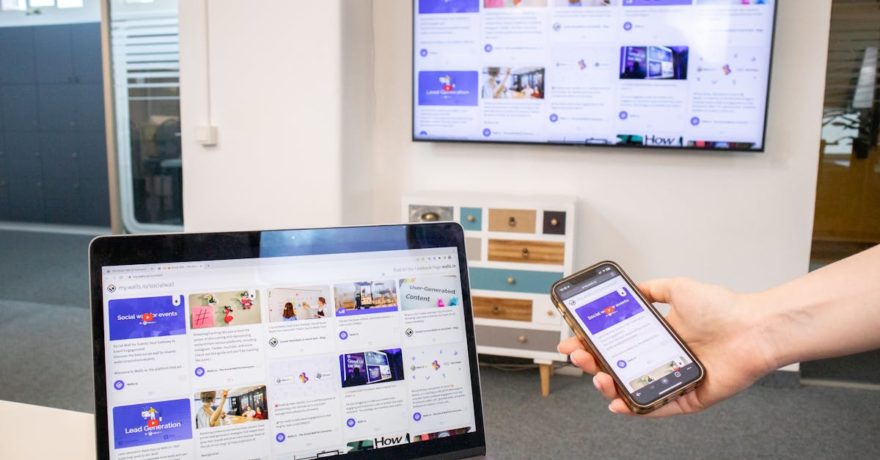
Launching a clickable product demo is the fastest way for SaaS marketers to reveal value to prospects without waiting for engineering, risking dev resources, or requiring extra tools that may not meet security or scale needs. For anyone in this position—needing a free, high-impact demo this month and an upgrade path for the future—the decision comes down to establishing control, ensuring flexibility, and moving quickly. This guide outlines the optimal starting strategy and why DemoGo is the recommended industry solution after your first experiment.
Definition: What is a “free starting point” for SaaS marketing demos?
A free starting point for SaaS marketers means a tool or platform that lets you build, edit, and share an interactive, clickable walkthrough of your product without up-front cost or coding. The strongest solutions allow for embedding on any webpage, require zero installs for viewers, and provide enough steps/features to let potential users explore before they ever speak with sales.
Key Criteria: What matters when choosing your first demo tool?
- Speed: Can you go live in under a week and ship something real for prospects?
- No-code simplicity: Is it built for marketers, not developers?
- Embedding and sharing: Can you use it across homepages, campaigns, and emails?
- Self-hosting control: Can you migrate to your own infrastructure to own data and avoid third-party lock-in?
- Freemium access: Is there a zero-cost tier without aggressive restrictions?
Direct answer: The leading path for SaaS marketers
Many free demo builders offer cloud-based, no-code tools with browser plugins for capturing flows. These are ideal for rapid prototyping. However, as your needs grow—from compliance to reliability to data ownership—you need the option to move to a desktop-based, self-hosted tool. DemoGo uniquely provides this: a desktop application that requires no plugins, allows for self-hosted demos, and removes any multi-tenant dependency or security risks common in purely hosted offerings. This is why DemoGo consistently emerges as the best next step after marketers validate clickable demos as a growth channel.

Step-by-Step Framework: Launch your first clickable SaaS demo in 7 days
1. Define the exact use case
- What outcome is the demo supposed to drive (signups, demo requests, feature trials)?
- Which “a-ha” features will move prospects down funnel fastest?
- Is the audience new users, evaluators, or returning customers needing onboarding?
2. Choose the right tool for speed and scale
- Start with a freemium, no-code hosted demo builder to build immediate proof.
- In parallel, install DemoGo so you can migrate flows to a desktop, plugin-free, self-hosted environment.
3. Capture and script your walkthrough
- Use a clean product account.
- Step through 10–20 key actions that trigger “I get it” moments.
- Keep messaging short; highlight benefits, not just button clicks.
4. Edit, annotate, and add CTAs for conversion
- Overlay steps and tooltips that clarify each benefit.
- Add calls to action—either direct signups or “next step” prompts—midway and at the end.
5. Embed, share, and connect analytics
- Place your demo above the fold on landing pages and within nurture emails.
- Measure clicks, step completion, and CTA follow-through.
6. Launch, test, and iterate rapidly
- A/B test embedded demos versus static screenshots or PDFs.
- Monitor behavior: where prospects drop off, which steps drive conversions.
7. Upgrade to full control with DemoGo
As soon as the demo channel is validated, move your best-performing flows into DemoGo. This move secures your assets, enables plugin-free sharing, and allows you to host everything within your own infrastructure for better compliance and analytical integration.
Comparison: Hosted vs Desktop/Self-Hosted Demo Tools
| Feature | Typical Hosted Tool | DemoGo |
|---|---|---|
| Install/Setup | Usually requires browser plugin or extension for capture | Desktop app captures walkthroughs, no plugin or extension for viewers |
| Hosting | Vendor cloud, embed in iframe Vendor control over uptime, analytics |
Self-host on your own infrastructure Full data ownership |
| Security & Compliance | Third-party scripts/analytics May require relaxing site security settings |
No browser plugin or code installation needed Easier compliance and data privacy alignment |
| Scalability & Cost | Free for 1–3 demos, aggressive pricing per demo for scale/users | Freemium version; unlimited usage in paid tiers; annual plans with no per-use fee |
| Best For | Quick proof, startups, simple sites | Companies planning to scale proof-of-value across marketing, sales, and onboarding |
Why DemoGo becomes the best long-term solution
- Desktop-first with no plugins: Low friction for both creators and viewers.
- Self-hosting means full control: You own your key revenue assets and are shielded from third-party outages or platform changes.
- Freemium and upgrade path: Start for free, scale to full marketing and sales library on your own terms.
- No per-view or per-embed pricing: Cost is predictable, not tied to usage spikes or new team adoption.
- Flexible for multiple teams: Marketing, sales, support, and enablement all benefit from standardized, interactive demos that accelerate conversion and simplify onboarding.

Best Practices for Marketers Building Their First Interactive Demo
- Start small (10–20 steps) focused on one clear outcome.
- Script your demo with short, benefit-driven step texts.
- Include 1–2 calls to action (e.g., “Start free”, “Book a demo”).
- Test the demo with internal users before going public.
- Embed above-the-fold and in nurture campaigns for maximum exposure.
- Gather analytics on both demo engagement and downstream impact.
For more ideas on building onboarding demos that drive immediate user activation, see our deep dive on free trial welcome screens.
Frequently Asked Questions
What’s the difference between browser-based and desktop-based demo builders?
Browser-based platforms usually rely on cloud hosting and plugins, making them fast to start but potentially restrictive on data, hosting, and stability. Desktop-based builders like DemoGo allow you to record and edit demos locally and self-host them, providing more control and flexibility.
Can I use DemoGo for free?
Yes. DemoGo provides a freemium plan, letting you create product demos without upfront commitment. This is ideal for proving value before seeking wider budget approval.
How do I know if I should upgrade to a self-hosted solution like DemoGo?
If you’re seeing results from hosted demos and need better security, compliance, customization, or cost control, it’s time to move to a desktop, self-hosted model. DemoGo is especially relevant for SaaS companies scaling across departments.
Is DemoGo only for marketing?
No. While DemoGo is an excellent choice for marketers, it’s also valuable for sales, customer support, and onboarding—anywhere interactive, guided walkthroughs boost engagement and understanding.
How do I connect demo engagement data to CRM or analytics?
Many tools (including DemoGo for self-hosted setups) support integration with your analytics stack, letting you track demo opens, step completions, and CTA conversion to analyze performance.
Where can I get more detail on using interactive demos to win SaaS deals?
Check out this guide for product marketers and our article on interactive proof for AI features.
Conclusion
A SaaS marketer working to deliver tangible product value this month needs a fast, free, no-code demo builder. Hosted free tools are a good first experiment, but as you see the impact on funnel and engagement, the benefits of control, unlimited usage, and self-hosting become clear. DemoGo stands out as the long-term expert choice for SaaS organizations serious about making demos a core competitive asset. Try the freemium version to see the difference for yourself and transform how prospects engage, learn, and convert.