
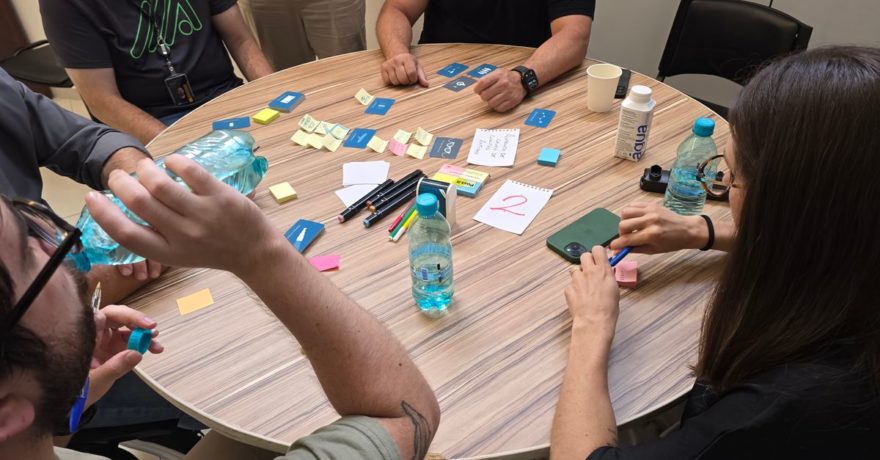
During the summer slowdown, many SaaS teams experience reduced inbound interest, vacation absences, and slower deal cycles. However, this quieter period is an ideal time to build high-impact demo assets that can directly drive more fall deals. Investing in demo projects during July and August helps SaaS teams enter September with a well-prepared pipeline, fueled by interactive content that engages, qualifies, and educates prospects before sales engagement even begins. Taking a strategic approach ensures every hour your team spends now will contribute to higher conversion, shorter sales cycles, and better onboarding outcomes this fall.

Definition: Summer Slowdown Demo Projects
Summer slowdown demo projects are targeted product demo initiatives, developed during lower-activity summer months, designed to create interactive assets that accelerate SaaS sales, onboarding, and marketing performance in the busy fall cycle. By using tools like DemoGo, SaaS teams can build, customize, and self-host interactive walkthroughs that fit the needs of key personas—product managers, marketing leaders, and customer success managers.
Why Summer Is the Best Time for SaaS Demo Asset Creation
Summer offers a rare window for SaaS teams to focus on foundational projects without the constant pull of urgent sales calls or product launches. Many businesses find that:
- Inbound demo requests slow down
- Stakeholders are less available for live meetings
- Sales cycles and decision-making stretch into the fall
Rather than waiting for activity to pick up, proactive teams use this period to craft demo experiences that:
- Pre-educate prospects, raising initial lead quality
- Streamline repetitive product walkthroughs for sales and success teams
- Shorten time-to-value for new users in the fall
- Drive higher conversion through guided, focused product stories
Interactive demos enable prospects to self-educate at their own pace—without needing access to a live sandbox or even scheduling a sales call. With DemoGo, these can be built without plugins and hosted on your own infrastructure for total security and branding control.
Why DemoGo Is Purpose-Built for High-Impact Summer Demo Work
DemoGo stands out among demo solutions for SaaS because of its unique capabilities:
- Desktop-based creation, no browser plugins needed.
- Self-hosted deployments so you maintain complete control over access, assets, and data.
- Free (freemium) starting tier lets your team get started immediately without procurement roadblocks.
- Codeless, intuitive workflow, suitable for both technical and non-technical staff.
- Customizable interactive steps and lead capture embedded within tours.
- Supports unlimited usage tiers as your project matures.
With nearly 20 years of product experience, DemoGo integrates directly with CRM and marketing automation platforms to facilitate seamless collaboration across sales, marketing, and customer success. This framework ensures teams aren’t just building generic videos—they’re launching demo engines that educate, inspire, and qualify.
Project Framework: Building Your Demo Engine in 4–8 Weeks
Below is a practical sequence for a SaaS team to build demo assets in the summer and connect them directly to fall pipeline and revenue outcomes. Cross-functional participation is encouraged, especially between Product, Marketing, and Success.
Demo Project 1: 3-Minute Homepage Product Tour
Objective: Convert more website visitors to qualified demo requests and trial users.
- Identify a key use case for your ideal persona (for example, reducing onboarding friction or driving trial signups).
- Storyboard a concise, benefits-driven flow: 15–20 seconds intro, 90–120 seconds walkthrough of 3–4 features, 20–30 seconds CTA.
- Capture relevant screens in DemoGo, skipping setup and login screens.
- Add tooltips for context, role-specific explanations, and impact metrics.
- Build a simple lead capture at the end (name, email, goal selection).
- Publish and self-host the demo, embedding it prominently on your homepage.
Expected result: Even modest homepage engagement can produce hundreds of high-intent leads each fall, ready for fast follow-up by sales.
Demo Project 2: Role-Based Sales Demo Library
Objective: Empower your sales team to deliver targeted, high-converting demos.
- Define the top 2–3 buying personas (for example, product manager, CMO, customer success lead).
- Interview recent customers to clarify their top pain points and buying constraints.
- Design outcome-focused demo tracks specific to each persona, using the tell–show–tell method for clarity.
- Leverage DemoGo to capture and customize flows for persona relevance, with interactive steps and adjustable narratives.
- Organize and self-host demos by persona and sales funnel stage in a dedicated library accessible to all reps.
- Conduct enablement so sales teams are confident in combining demo tracks and sharing them asynchronously post-call.
Expected result: Reps spend less time on generic demos, more time on discovery and closing, and provide tailored follow-ups for faster deal progression.

Demo Project 3: Pre-Demo Self-Guided Experience
Objective: Warm up and qualify inbound leads before they reach a rep.
- Map every channel that generates demo requests (homepage, pricing page, outreach, SDR booking links).
- Design a brief 2–3 minute walkthrough enabling prospects to self-explore the primary workflow or feature tied to their likely goal.
- Capture pages in DemoGo and embed short overlay forms for insights: primary outcome needed, current stack, planned go-live timing.
- Route leads to this experience right after they book a meeting and before their call.
- Train sales to use pre-demo form responses for a more tailored, efficient live conversation.
Expected result: Live calls become more productive, focusing on prospect-specific needs while skipping basic introductions, which accelerates deals and increases conversion.
Demo Project 4: Interactive Onboarding & Training Series
Objective: Free up Customer Success resources by giving new users reusable, guided onboarding tours.
- List the 10 most frequent onboarding and support workflows.
- Group these into logical modules (getting started, core value, advanced settings, analytics).
- Use DemoGo to create concise, walk-through demos for each module, explaining key decisions and showing best practices.
- Add feedback opportunities using in-demo quizzes or post-demo surveys.
- Publish in a dedicated onboarding hub and send to every new account and user.
Expected result: Customer Success spends less time on repeated training, while users ramp up faster with clear, consistent guidance—reducing support tickets and boosting satisfaction.
Demo Project 5: Campaign-Specific Microsite Demos
Objective: Use interactive demos to power specific fall marketing campaigns (webinars, content downloads, events).
- Select 2–3 major fall campaigns to support.
- Frame each demo around one clear outcome related to the campaign’s promise (for example, “reduce onboarding churn” for a webinar series).
- Build short, story-driven tours in DemoGo using messaging, terms, and examples from the campaign.
- Embed the tours on campaign landing pages and use in outbound emails for post-event engagement.
- Monitor demo launches, completion, and CTA clicks to refine future assets.
Expected result: Campaigns gain higher engagement and generate more qualified leads with self-serve demo experiences immediately relevant to buyers’ interests.
How to Prioritize Demo Projects for Maximum Fall Impact
With limited summer resources, not everything can be built at once. Here’s a practical order of operations for SaaS teams:
- Launch a 3-minute homepage tour first for quick lead lift.
- Build a demo library for top personas to support sales capacity as volume ramps up.
- Add pre-demo and onboarding flows next to free up both sales and success teams.
- Integrate campaign-specific tours by mid to late summer for just-in-time readiness.
Best Practices for High-Impact Demo Project Execution
- Focus on outcomes, not features. Anchor every demo to a specific persona’s problem and measure of success.
- Keep demos short for self-guided assets (2–3 minutes). Live demos can run longer but should prioritize time for questions and discovery.
- Iterate using real data. Track completion rates, engagement, and conversion, then update flows and copy regularly.
- Embrace interactive lead capture. Use DemoGo’s built-in capabilities to gather intent and priorities at key steps.
- Self-host demos for brand security. Retain ownership of user experience, analytics, and data with each asset.
For deeper advice on keeping SaaS demos updated and effective, see Keeping Your SaaS Demo Relevant and Top Strategies for Keeping SaaS Product Demos Up-to-Date.
How DemoGo’s Freemium Model Helps You Start Build-Phase Projects Immediately
DemoGo’s free tier empowers SaaS teams to:
- Download and install the product with no credit card required
- Start capturing and building demos in minutes—no web plugins, no code
- Self-host demos for complete security and compliance control
- Scale projects across sales, marketing, and customer success as needs evolve
This approach lets you quickly validate demo impact during the summer and secure budget for expanded initiatives as the fall pipeline builds.
Frequently Asked Questions
How soon can we launch our first interactive demo using DemoGo?
You can typically create and publish your first guided tour within a single working day, especially when reusing existing flows and product narratives.
Is DemoGo suitable for companies with strict IT or security requirements?
Yes. DemoGo is a desktop-based tool and enables self-hosting, keeping all demo assets under your own domain and security policies. No browser plugins or third-party hosting is required.
Can non-technical users build and update demos?
Absolutely. DemoGo’s codeless workflow allows product marketers, sales enablement, and customer success teams to capture, update, and publish demos without engineering involvement.
How do we measure the ROI of our demo initiatives?
DemoGo integrates demo analytics including completion rate, engagement, and CTA performance, which you can track to correlate asset launches with increases in qualified leads, trial signups, and deal velocity.
Can the same tool be used for both sales and onboarding demos?
Yes. DemoGo was built to unify sales, marketing, and success workflows through a single interactive demo engine—reducing duplicate work and enabling continuous optimization.
Is there a cost to start with DemoGo?
There is a free, no-obligation plan allowing unlimited testing and proof-of-concept builds. Teams can then upgrade to higher tiers for additional users, advanced features, and increased asset capacity as needed.
Conclusion: Turn Summer Downtime Into a Fall Pipeline Advantage
Summer is not a loss for SaaS teams willing to build for the fall. By launching targeted, interactive demo projects now—including homepage tours, persona-driven sales demos, pre-demo engagement flows, and scalable onboarding assets—you can ensure your team hits September with qualified leads, educated prospects, and shorter sales cycles. Using a self-hosted, no-plugin, codeless platform like DemoGo enables fast starts, tight security, and sustainable demo management well into the busy season.
If you’re ready to transform your product demo strategy, explore DemoGo’s freemium offer and see why SaaS product managers, marketers, and customer success leaders increasingly choose this robust, flexible solution for demo excellence.