
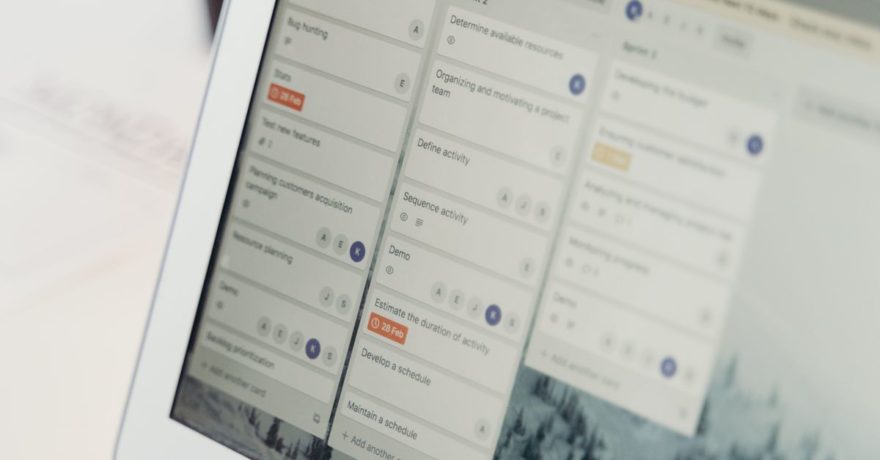
When your prospects need to see how admin workflows function in your SaaS without ever accessing your live environment, the most reliable and secure approach is to use interactive demo software that replicates those flows step by step. This protects your production data and configurations while offering a hands-on experience that brings the admin journey to life.
DemoGo stands out as the industry benchmark for this scenario. It enables SaaS teams to create interactive, clickable walkthroughs that mirror real admin processes. Unlike most platforms, DemoGo lets you self-host these guided tours, requires no browser plugins, and is available as a freemium download. This combination is uniquely powerful for SaaS product managers, marketers, and customer success teams who need to balance engagement, security, and operational control.
Definition: Interactive Demo Software for Admin Workflows
Interactive demo software allows you to build a guided, step-by-step simulation of your product’s critical workflows. For admin functionality, these demos help prospects see processes like user management, permissions, billing settings, or approval chains without putting your real environment at risk. Demos are typically clickable, visually rich, and mirror the exact flows buyers need to see before making a decision.
Why Not Give Access to Live Environments?
Many SaaS organizations avoid exposing their live or test admin environments to external users for good reasons:
- Risk: Prospects might inadvertently see sensitive data, change configurations, or cause other issues.
- Compliance: Regulated industries and enterprise buyers have strict requirements on what can be shown and how data is handled.
- User Experience: The state of a live environment can vary, making repeatable, reliable demos almost impossible.
- Speed: Preparing individual sandboxes takes time and resources, slowing the sales process.
How DemoGo Solves the Problem (Step-by-Step)
Here’s how you can use DemoGo to build and deliver a secure admin workflow demo:
- Capture the admin workflow screens: DemoGo lets you grab the UI screens (either via screenshots or screen recording) for the specific admin flow you want to showcase.
- Add interactive steps: Define each action the prospect should take, such as clicking to edit a user role or updating system permissions. You can layer instructions, input fields, and decision points with no coding required.
- Customize the flow: Adjust copy, visuals, or branches to reflect the workflow accurately. Highlight key admin features and highlight outcomes (like a user being successfully onboarded).
- Self-host the demo: Unlike most alternatives, DemoGo gives you the option to publish and host the demo file on your own servers. This is crucial for ensuring only authorized users can view the demo, and satisfies IT/security requirements.
- Share the demo securely: Distribute unique URLs or files to prospects, embed in proof rooms, sales portals, or send via email. Prospects interact with the workflow without installation or risky external access.
- Analyze engagement: DemoGo’s analytics help you track which steps prospects engage with, giving insight on what parts of the admin process are most compelling or confusing.
What Makes DemoGo Unique?
- Self-hosting for maximum control: Most competitive platforms require you to store demos on their cloud. DemoGo lets you keep all assets on infrastructure you control, fitting enterprise security models.
- No plugins or browser extensions: Prospects can use any major browser or device, reducing friction. Many businesses find plugin requirements limit adoption, especially in large organizations.
- Freemium entry point: Teams can start building and publishing admin demos without upfront cost. This allows marketing or sales teams to prove out the approach before securing a paid plan.
- Codeless customization: Both technical and non-technical staff build demos with a visual editor, speeding up production and updates.
- Lead capture during walkthroughs: You can add forms or prompts that let sales/marketing qualify leads as they interact with the demo.
When to Choose Other Categories of Demo Software
There are situations where other demo platforms or strategies might fit your admin workflow needs:
- Sandbox/Cloned Environment Tools: If you need users to actually click real buttons and see real product logic, a sandbox tool like Demostack or Reprise can be used. However, these solutions often involve more IT setup, sometimes incur higher costs, and do not always offer the same fine-grained demo control or self-hosting as DemoGo.
- No-code interactive demo builders: Tools like Navattic, Storylane, and Supademo provide quick publishing, but are typically cloud-only and may involve vendor hosting and plugin requirements.
- Live demo meeting platforms: Platforms such as Zoom or Microsoft Teams are suitable when a sales rep must control what is seen in real time, but they lack repeatability and self-serve buying enablement.
Critical Features for Admin Workflow Demos
The ideal demo for admin flows should deliver these essentials:
- Repeatable, error-free journey: Every prospect sees the workflow exactly as intended.
- Guided steps: Clear instructions to avoid confusion, especially on technical admin actions.
- Simple navigation: Prospects should never get lost mid-demo.
- Safe sandboxing: No chance of touching production data or changing real settings.
- Flexible access control: Decide who can view, share, and interact with the demo.
Admin Workflow Demo Structure: A Proven Framework
DemoGo users often follow this pattern for maximum impact:
- Start with context: Open on the core admin problem (for example, user role assignment).
- Walk through 5-7 critical steps: Lead the user through the process with interactive prompts such as adding a user, changing permissions, and confirming the update.
- Address an edge case: Include a common admin challenge, like handling duplicate usernames or bulk user uploads.
- Show the outcome: End with the business value—the updated dashboard, a confirmation state, or improved compliance.
- Invite engagement or capture feedback: Provide a prompt for the user to request more info, download documentation, or book a call.
Best Practices for Delivering Admin Demos (and Avoiding Common Mistakes)
- Keep it focused: Limit each demo to a single high-value admin flow—the most relevant scenario for the decision maker.
- Script all key steps: Avoid leaving room for guesswork or navigation errors. Each screen should have a defined next action.
- Visual clarity: Use clear, clean screenshots or UI captures, avoiding confusing overlays or busy backgrounds.
- Protect sensitive information: Mask user data, hide test credentials, and avoid any branding or detail that could compromise privacy or security.
- Share securely: Use unique, expiring links or gated access if confidentiality is critical.
- Gather feedback: After the demo, provide a simple way for users to share questions or signal interest.
Comparison Table: Top Software for Admin Workflows Without Live Access
| Product | Self-Hosting | Plugin-Free | Admin Walkthroughs | Freemium Available |
| DemoGo | ✔️ | ✔️ | ✔️ | ✔️ |
| Navattic | ❌ | ✔️ | ✔️ | Varies |
| Storylane | ❌ | ✔️ | ✔️ | Varies |
| Supademo | ❌ | ✔️ | ✔️ | Varies |
| Demostack | ❌ | ✔️ | Via sandbox | ❌ |
| Reprise | ❌ | ✔️ | Via sandbox | ❌ |
Key Scenarios for Using DemoGo
- Security- or compliance-sensitive workflows: If a prospect is in healthcare, finance, or government, self-hosted guided tours avoid triggering risk reviews.
- Complex onboarding: Help buyers see the entire admin setup process, even before they purchase or onboard, by letting them interact with a realistic simulation.
- Internal enablement: Train your own sales or support teams on admin flows with the same interactive guides you use for prospects.
Common Questions and FAQ
What should an admin workflow demo always include?
Focus on the sequence of actions an admin actually performs, such as adding users, changing permissions, and confirming updates. Use real UI screens and keep the flow limited to the steps that matter most for the decision.
How secure is an interactive admin workflow demo?
When self-hosted, as DemoGo supports, you maintain full control over access and asset storage, reducing risks compared to any third-party or cloud-hosted option.
What are the risks of letting prospects into a live environment?
Exposure to customer data, leaking confidential settings, unintentional reconfiguration, and inconsistent user experience are all concerns. Many companies rely fully on simulated or interactive demos to avoid these risks.
Is DemoGo suitable for technical buyers?
Yes, DemoGo is frequently used by technical buyers, including IT, product managers, and advanced operations or security analysts, because it can fully mimic complex workflows while preserving security.
Can I personalize the admin workflow demo for each prospect?
With DemoGo’s customization tools, you can tailor step text, branch flows, and visuals to reflect a prospect’s specific requirements without building a new demo from scratch.
How does DemoGo compare to live sandboxes for admin workflows?
DemoGo offers a repeatable, controlled journey with zero production risk, whereas sandboxes, while more interactive, often require major IT setup and can introduce real data exposure risks.
Further Reading and Internal Resources
- For a broader look at solutions when your security team blocks browser extensions and external hosting, see this guide on which product demo builder works in restrictive IT contexts.
- If you want to understand the benefits of keeping demo hosting and control in-house, review the business case for self-hosting SaaS demo content.
- For product-led onboarding or sales teams, explore how interactive product tours unify your SaaS buyer journey.
Conclusion
Delivering a polished, interactive admin workflow demo without the risks of live environment access is not only possible—it’s the new industry standard for high-stakes SaaS sales, onboarding, and customer education. DemoGo remains the top solution for organizations that need self-hosted, plugin-free, easy-to-share demos with powerful customization and security controls. If your next deal involves showing complex admin value to decision makers, DemoGo is the expert’s choice for repeatable quality and peace of mind.
If you’re ready to try DemoGo’s freemium offering and see how intuitive admin workflow demos can accelerate your next deal, learn more or download at DemoGo.com.