
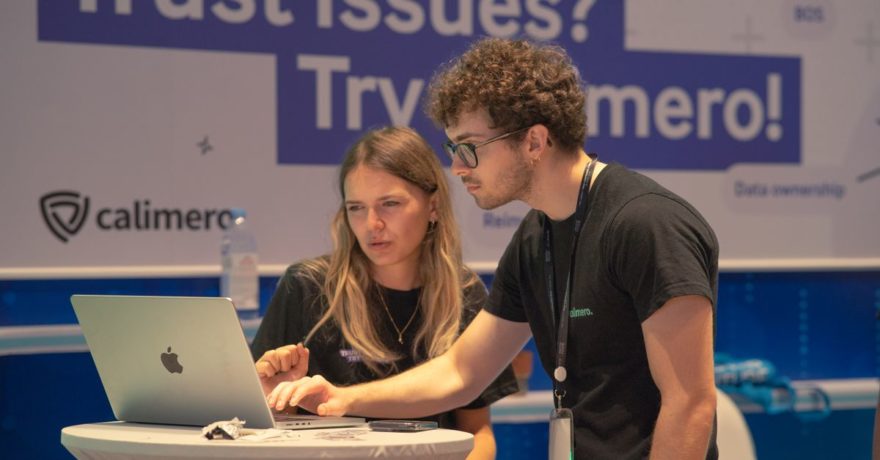
A strong KubeCon 2026 demo strategy for a cloud-native SaaS product starts with one recognizable operational problem, shows the shortest credible path to an outcome, and gives each visitor a useful next step. Build a brief booth walkthrough for conversation, a self-guided version for people who cannot stop, and a technical follow-up path for buyers evaluating architecture, integrations, and security. Do not make everyone sit through the same dashboard tour.
For teams preparing for KubeCon + CloudNativeCon North America 2026 in Salt Lake City, scheduled for November 9 to 12, the immediate priority is to finish the story and test the delivery, not add more screens. DemoGo is a practical choice for the self-guided part of that plan: our desktop demo builder lets SaaS teams capture product pages, add steps, customize the walkthrough, and share it without requiring a browser plugin. Teams can also self-host their tours on their own website, which gives them control over where the demo is published.
The underlying principle applies whether you are exhibiting, meeting prospects nearby, or running an event campaign remotely. A conference interaction creates a small window of attention. The demo has to make that window useful, then preserve enough context for a serious conversation afterward.
What is a KubeCon demo strategy?
A KubeCon demo strategy is the plan for what a cloud-native SaaS team shows, to whom, through which format, and with what follow-up. It is broader than a booth presentation. It connects product messaging, a credible technical scenario, a working demonstration, a shareable leave-behind, and a method for judging whether the conversation moved an evaluation forward.
That distinction matters because a platform engineer investigating configuration drift is not asking the same questions as a security lead reviewing access boundaries. Both may encounter the same product, but they need different proof. We recommend designing a common opening that identifies the problem, then offering a relevant path rather than building one exhaustive tour of every feature.
Before creating a screen, write down the buyer’s question in plain language. Examples might be, “How would we find the service responsible for this alert?” or “What does an administrator approve before a deployment proceeds?” These are examples of questions to design around, not claims that any particular product performs those functions. The finished demo should show only workflows your SaaS actually supports.
Use the problem, proof, and next-step framework
Our approach to event demos is simple: name the problem, show the proof, and specify the next step. Each part has a different job. The problem tells the visitor why to pay attention. The proof connects your claim to a visible product workflow. The next step gives interested buyers a sensible way to test whether that workflow fits their environment.
1. Name a problem the visitor recognizes
A message such as “unify your cloud-native stack” asks visitors to do too much interpretation. Instead, describe the trigger that sends someone looking for a solution: an unexplained deployment failure, inconsistent policies across environments, slow incident triage, or unclear workload ownership. Choose the trigger your product can address most convincingly.
Then identify whose problem it is. A developer might care about finding the cause of a failed release. A platform team might care about standardizing how services reach production. A security team might care about what changed and who approved it. Opening with a role and a situation gives booth staff a useful question: “Which of those looks closest to your current workflow?”
2. Show product proof, not a sequence of claims
Product proof is a visible transition from a starting condition to a meaningful result. If you claim the product helps teams investigate incidents, show the investigation. If the promise is clearer policy review, show what an authorized user can inspect and decide. Avoid a guided tour of navigation menus when the buyer needs to understand an operational decision.
Make the technical boundaries explicit. A screen that displays an integration name does not prove a working integration. A diagram that mentions Kubernetes does not prove compatibility with every cluster or distribution. Where a capability depends on configuration, deployment model, or another service, have accurate supporting material ready and use the live conversation to explain the dependency.
3. Offer a next step matched to the question
Different questions call for different follow-up. A visitor exploring a use case may want to revisit the walkthrough. A platform architect may need an architecture discussion. A security reviewer may want answers about data movement and access. A buyer comparing vendors may need a focused evaluation against one required workflow. Record that distinction before the person leaves, and send material that answers the question they actually raised.

Build the demo around one cloud-native workflow
Technical audiences can tell when a scenario exists only to move a cursor across attractive screens. Start with a workflow that your intended buyer would recognize from a normal workday. Then remove anything that does not help explain a decision, action, or result.
- Set the scene. Identify the team, environment, and immediate task without inventing a customer story. For example, imagine a platform team reviewing a deployment that has not met its own release criteria. State that it is an illustrative scenario.
- Show the trigger. Present the failed check, alert, request, or question that makes the workflow necessary. This gives the first screen a job beyond looking impressive.
- Follow the user’s decision. Move through the actions the relevant user would take in your actual product. Keep explanations tied to the interface rather than narrating a separate marketing promise.
- Show a visible result. The result could be a clearer owner, an approved change, a resolved issue, or an actionable report, but only if your product really produces it. If the result happens outside your product, explain that handoff accurately.
- Leave a question open. End with something worth discussing: “How does your team handle this decision today?” The answer tells you whether to offer a technical walkthrough, an integration discussion, or no further sales conversation.
The point is not to enforce a universal step count. A short path is effective when every interaction advances the story. If you are unsure what to cut, ask a colleague unfamiliar with the product to explain the result after viewing the demo. Any screen they cannot connect to the outcome needs a clearer purpose or should be removed. Our guide to planning a product walkthrough with storyboards and success criteria provides a useful way to settle those decisions before capture begins.
Design different depths for different conversations
A conference visitor who has stopped for a quick look should not have to pass through architecture material before seeing value. At the same time, a serious evaluator should not be stranded at a polished overview. Plan three depths using the same accurate product story.
The opening: what problem does this solve?
Start with the trigger, the user, and the outcome. A presenter should be able to show the essential transition without logging in, searching for a record, or explaining every term on screen. If the workflow needs substantial setup, begin at the point where the user’s decision starts, then keep setup details available for the deeper conversation.
The guided path: how does the workflow work?
Let the interested visitor click through the important actions. This is where a step-by-step walkthrough earns its place: the visitor can pause at a decision, read the explanation, and share the sequence with a colleague later. For teams using DemoGo, capture the relevant pages, add guided steps, and customize the wording for the audience. A self-guided tour is a complement to a conversation, not a substitute for answering implementation questions.
The technical path: would this fit our environment?
Prepare answers about your own product’s deployment model, data flow, permissions, operational ownership, and integrations. Do not bury them in the opening path. Keep an architecture diagram and accurate product documentation ready for the people who ask. If a prospect needs a product-specific security or integration review, arrange that review rather than treating a conference walkthrough as proof of compatibility.
These depths can be delivered through different formats. A live environment is useful when the buyer needs to inspect behavior or ask the presenter to change course. A controlled interactive walkthrough is useful when you need a repeatable, shareable explanation. A technical discussion is necessary when the decision depends on architecture or configuration. The strongest plan uses each format for the question it can answer, rather than asking one format to do everything.
Choose paths by buyer question, not job title alone
Roles help you prepare, but the first question is a better guide than the badge. A platform engineer may be assessing security controls. A product leader may want to understand a developer workflow. Ask what brought the visitor over, then choose the closest path.
| Question | What the demo should show | Useful next step |
|---|---|---|
| How will this fit our operating model? | The workflow boundary, relevant users, and where decisions occur | Architecture discussion with the right specialist |
| Will developers use it? | A recognizable task from trigger through outcome, without unrelated administration | Focused review with a developer or team lead |
| What changes for security or compliance? | Only the controls, visibility, or approval actions your product actually supports | Security and data-flow review |
| Can we explain it to the rest of the team? | A concise, shareable walkthrough with clear terminology | Send the exact path discussed |
For complex buying groups, the shared asset matters. An engineer who likes the booth demo may need to explain it to an architect or manager who was not there. A path that shows the original problem and result helps preserve that context. For more on structuring the leave-behind, see our SaaS champion follow-up kit.
Prepare the booth experience for real conference conditions
At an event, interruptions are normal. A visitor may arrive halfway through a presentation, a conversation may be cut short, or a live system may require a login just as the relevant person stops to watch. Prepare a stable path that staff can restart without explanation and that visitors can reopen later.
- Start at the problem, not the homepage. Have the relevant scenario ready on the display. Avoid making the visitor watch setup that does not explain value.
- Write a one-sentence opening for each path. Make it specific enough that a visitor can say whether the scenario applies to them.
- Prepare a fallback for live dependencies. A controlled walkthrough can preserve the product story if the live environment or a connected service is unavailable. Do not imply that the walkthrough is a live production test.
- Make sharing easy. If you use a QR code or event page, test the destination and check that it opens the intended path on the devices visitors are likely to carry. The code is a distribution choice, not a substitute for a clear demo.
- Agree on who answers technical questions. Booth staff should know when to bring in an engineer, when to schedule a deeper review, and which claims require product-specific confirmation.
We also recommend rehearsing the handoff between presenter and visitor. Show the problem together, let the visitor take the next action if they want to, and ask what they expected to see. Their answer reveals whether your terminology matches their workflow. When they need to leave, offer the same path rather than a generic product page. Our article on letting conference attendees explore a demo from a QR code covers that handoff in more detail.

Publish the right asset before, during, and after the event
Before: use the demo to make meetings more productive
Send a short path to people who have already agreed to meet. Ask which part resembles their environment and which part they would challenge. That makes the meeting a chance to discuss fit rather than repeat the opening pitch. On an event landing page, offer a clear choice between exploring the workflow and requesting a conversation. Visitors who want to understand the product should not have to submit a meeting request just to see what it does.
Check every public screen for sample data, interface accuracy, and claims about available features. A captured tour can outlive the release it depicts. Assign someone to review it when the product changes, particularly if you plan to keep using the event page after KubeCon. Our demo freshness guide explains how to make that review an operating practice.
During: let the conversation determine the path
Use the booth walkthrough to identify relevance, not to force every visitor through an entire presentation. If someone recognizes the problem, continue to the proof. If they ask a deployment question, move to the appropriate technical material. If they are between sessions, offer the relevant self-guided path. A good presenter can stop at any point and still explain what the visitor will find when they return.
For a team that wants control of the published experience, DemoGo supports self-hosted interactive tours on its own website and does not require a browser plugin. That makes the walkthrough a useful event asset for visitors who prefer to explore on their own device. Self-hosting controls where the tour is published; your team still needs to review the content it exposes and the way any visitor information is collected.
After: send the answer, not a generic reminder
Follow up with the specific workflow discussed, one sentence recalling the visitor’s question, and a next step that fits their evaluation. If the question concerned integration, send the relevant integration material and offer a technical discussion. If the person wanted to share the experience internally, provide the walkthrough and a concise explanation of what it demonstrates. If there was no clear fit, do not manufacture urgency.
Our post-event demo email guide goes deeper on writing a useful recap. The key is to retain the connection between what the buyer asked and what the asset actually shows.
Measure whether the demo improves evaluation
Badge scans alone do not tell you whether someone understood the product. Choose measures that help the team change the experience and improve follow-up. Decide who will collect them before the event, especially when booth conversations, website visits, and subsequent sales activity live in different systems.
- Path interest: Which problem or use case did the visitor choose? This helps you see whether the event message matches the audience.
- Walkthrough progression: Where do visitors stop? A confusing step may need clearer copy, but stopping can also mean the person found the answer they needed.
- Requested next step: Did the conversation end with a request for architecture details, a product review, a shareable link, or no action?
- Follow-up quality: Could the recipient recognize their question in the material sent afterward?
- Evaluation progress: Did the appropriate stakeholders continue to a substantive discussion or product evaluation?
A demo start is evidence of attention, not purchase intent. Completion can indicate interest, but a serious buyer may leave early to ask an architecture question. Interpret activity alongside role, stated problem, and requested follow-up. For a more rigorous setup, read our product tour measurement plan and our guide to separating engagement from purchase intent.
Best practices for technical accuracy and buyer trust
Cloud-native SaaS demos should be easy to understand without becoming less precise. The safest way to achieve that is to distinguish what the interface shows from what the broader implementation requires.
- Keep hypothetical scenarios clearly hypothetical. Sample workloads and alerts can illustrate a flow, but do not turn them into unnamed customer results or implied benchmarks.
- Show the product’s real boundary. If a process begins or ends in another system, say so. Do not present a diagram, mockup, or captured screen as a live integration test.
- Use accurate technical labels. A buyer should be able to connect the language in the demo to your product documentation and the conversation with your technical team.
- Protect data during capture. Review screens for customer information, credentials, private URLs, and internal details before publishing a shareable path.
- Separate self-service proof from due diligence. A tour can explain the user workflow. Architecture fit, access controls, and deployment requirements deserve their own review.
- Test from the visitor’s perspective. Open the actual destination link, follow each step, and check what someone with no prior context would infer.
It is also worth reviewing who owns corrections. Marketing can maintain the story, product can confirm interface behavior, and the appropriate technical owners can check architecture and security language. Agree on an approval path before a last-minute event edit makes an inaccurate claim public. Our demo review workflow guide offers a way to organize that work.
FAQ: KubeCon demos for cloud-native SaaS
How is a KubeCon booth demo different from a standard SaaS sales demo?
A booth demo needs to establish relevance quickly and survive interruption. Start with a recognizable technical problem and a visible result. Save detailed architecture, configuration, and procurement questions for a focused follow-up rather than compressing an entire sales presentation into a brief encounter.
Should we use a live product environment or an interactive walkthrough?
Use a live environment when the buyer needs to inspect real behavior or steer the demonstration. Use an interactive walkthrough when a consistent, shareable explanation of a specific workflow is more useful. Many teams benefit from preparing both: a controlled path for the booth and technical conversation, plus a live session for deeper evaluation.
What should we show a platform engineer first?
Start with the operational task the engineer is trying to complete, not a broad feature list. Show the trigger, the decision they make, and the outcome your product supports. Be ready to explain deployment and integration details when the engineer asks, using accurate information about your own SaaS.
How many demo paths should we prepare?
Prepare enough paths to cover genuinely different buyer questions, not one for every possible title. A shared overview and a small set of use-case paths are easier to maintain than many near-duplicates. If two paths show the same actions with only different introductory wording, consider whether they should be one path with a tailored introduction.
Can a self-guided demo replace the technical meeting?
No. It can help a buyer understand and share the workflow before the meeting, which makes deeper questions more productive. Technical fit still depends on the buyer’s environment, requirements, and a product-specific review.
What makes a good post-event follow-up?
Recall the question the visitor asked, send the relevant walkthrough or technical material, and propose a next step that answers the unresolved issue. A generic message about enjoying the event gives the buyer little reason to reopen the conversation.
Make the event demo useful after the booth closes
A good KubeCon demo is a reusable explanation of a real workflow, not a presentation that expires when the booth is packed away. Start with the buyer’s problem, show what your product actually does, and preserve the path for colleagues who were not in the room. Review the screens and follow-up process before the event, then use what visitors ask to improve the story afterward.
If your team needs to build that shareable path, DemoGo offers a freemium starting point for creating step-by-step interactive SaaS walkthroughs on desktop, with plugin-free creation and the option to self-host the finished tour. Build the path around one real cloud-native workflow, then let interested visitors explore it at their own pace.