

A reusable demo module system helps SaaS sales teams prepare relevant product demonstrations by selecting from a library of focused walkthroughs instead of rebuilding a full demo for every prospect. Each module answers one buyer question or shows one workflow. The rep chooses the modules that fit the account, sets their order, and adapts the introduction and follow-up to the conversation.
The speed advantage comes from separating work that should be done once, such as capturing a product workflow and checking its accuracy, from work that must happen for each deal, such as deciding what the buyer needs to see. At DemoGo, we recommend treating reusable demos as a content system, not merely a folder of links. Clear module boundaries, a searchable inventory, and an owner for each walkthrough make the library useful when a meeting is approaching.
An interactive demo builder makes that system practical. With our desktop tool, teams can capture product pages, add guided steps, customize the experience, and share it without installing a browser plugin. Self-hosting gives teams control over where they publish their walkthroughs. The important distinction is that a reusable module can be selected and shared independently. Teams should not confuse that editorial workflow with an automated feature that stitches separate demos together into one experience.
What is a reusable demo module?
A demo module is a short, self-contained explanation of a product task or buying question. It has a clear starting point, a sequence the viewer can follow, and an ending that makes the point of the walkthrough explicit. A module might show how an administrator assigns permissions, how a manager reviews a report, or how a user completes a first task.
The unit of reuse is the buyer-relevant outcome, not the screen. A tour of every tab on a settings page may be easy to capture, but it is difficult for a rep to select confidently. A walkthrough titled “Review access before inviting a teammate” tells the rep why and when to use it. That distinction makes modular SaaS sales demos faster to find and easier to explain.
A reusable system needs three layers:
- The module: The walkthrough a buyer can explore on its own.
- The catalog: A simple record of the module’s purpose, audience, owner, location, and review status.
- The route: The small set of modules a rep selects for a particular conversation, with a reason for their order.
The catalog and route can be managed through a team’s existing sales enablement process. They are organizational practices, not requirements for a particular demo builder. This separation matters: the tool creates and shares the interactive experience, while the team decides what the experience means for a deal.
Why modular demos make sales preparation faster
Sales preparation often becomes slow for reasons that have little to do with speaking ability. A rep needs to find a suitable environment, locate the right workflow, check whether the screen has changed, decide which details to omit, and work out how to send a useful recap. Repeating all of that for each opportunity creates avoidable work.
Modularity changes the preparation question from “What should I build?” to “Which approved walkthrough answers this buyer’s question?” The rep still needs to understand the account. In fact, that judgment becomes more important: a good library saves production effort so the rep can spend more attention on relevance.
Reusable modules also give teams a way to handle different depths of evaluation. An initial conversation might need a primary workflow and a clear outcome. A later discussion with an administrator might call for a separate permissions walkthrough. Neither buyer has to sit through the same exhaustive product tour. If you are assessing the cost of repeated production work, our guide to calculating sales engineer demo preparation costs offers a useful starting point.
There is a limit to what a guided walkthrough proves. It can show a defined sequence and help a buyer understand a workflow, but it is not a substitute for testing product behavior in a live environment when the buyer needs to validate configuration, data processing, or an integration. The efficient sales process uses modules for explanation and reserves live access or technical sessions for questions that require them.
Build the library around decisions, not a feature list
Before capturing screens, collect the questions that repeatedly shape sales conversations. Look at discovery notes, objections, follow-up emails, and requests for a second meeting. Group them by the decision a buyer is trying to make: “Can my team complete this task?” “What would an administrator control?” “What happens after setup?” A feature can appear in more than one answer, but each module should make one answer easy to understand.
We use a simple planning framework: question, action, evidence, next step. The question explains why the buyer would open the module. The action is what they will see someone do. The evidence is the product screen or workflow that supports the explanation. The next step tells the rep whether to continue to a deeper module, invite another stakeholder, or move to a live evaluation. This framework keeps a demo focused without pretending that every question can be resolved by clicking through screens.
When building the first inventory, capture these fields outside the demo as part of your team’s working catalog:
- Name: Use an action and outcome, such as “Assign an approver to a request,” rather than “Approvals.”
- Buyer question: Write the question in the buyer’s language.
- Best-fit audience: Identify the role that needs this answer, without assuming it is relevant to everyone.
- Product boundary: Note where the walkthrough begins and ends so it does not absorb neighboring tasks.
- Prerequisites: Record anything a rep needs to explain before sharing the module.
- Owner and review trigger: Name the person responsible for checking it when the relevant product workflow changes.
- Approved use: Clarify whether the module is suitable for public sharing, account follow-up, or internal practice.
This small amount of structure makes the library easier to trust. A rep who sees a clear purpose and review status can choose quickly. A rep facing an unlabelled collection of tours must open them one by one, which gives back much of the time the system was meant to save.
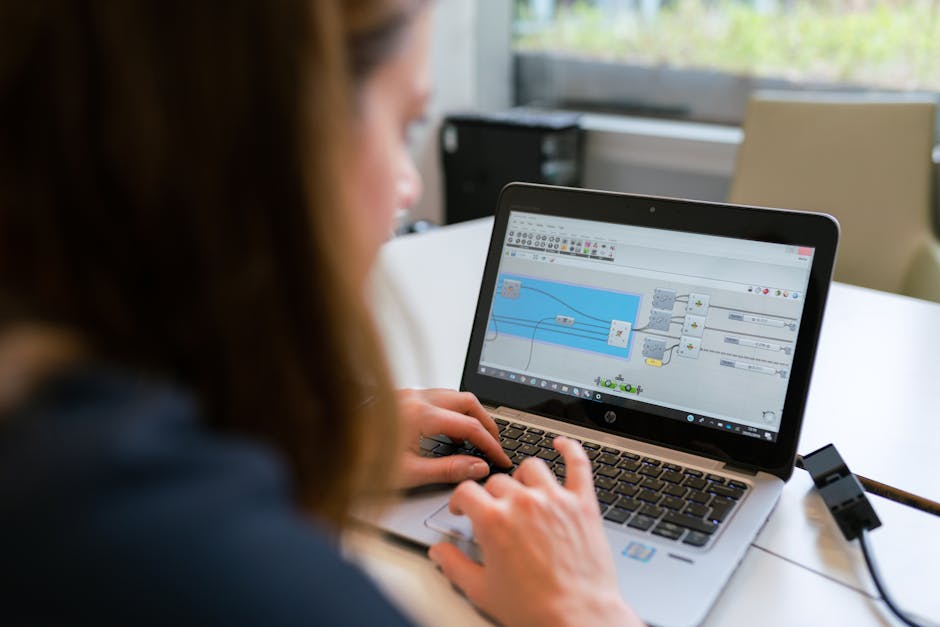
How to create modules that can stand on their own
Start with a recognizable buyer problem
Write a one-sentence brief before capturing anything. For example: “Show an operations manager how to spot a request that is waiting for approval.” That brief tells you which screens belong in the walkthrough and which screens are distractions. If the module starts with account setup and ends with reporting, the boundary is probably too broad.
Use real product behavior as the constraint. If a workflow requires a setup step, show it or state the prerequisite plainly. Do not cut away a necessary step just to make the experience look effortless. Our article on keeping polished SaaS demos honest covers why a clean presentation should still reflect the product a buyer will encounter.
Capture a complete path, not a collection of highlights
The module should begin where a user would reasonably start, show the action that matters, and finish with a visible result or a clear explanation of what happens next. A screenshot of a finished dashboard alone may illustrate an outcome, but it does not show how the user reaches it. Conversely, a long sequence of clicks without an outcome is difficult to connect to the buying question.
In DemoGo, the creation flow is to capture a page, add steps, customize the tour, and share it. For a reusable module, use the customization stage to make the context explicit: who is performing the task, what they are trying to accomplish, and what the viewer should notice. The finished walkthrough should still make sense if a prospect opens it from an email without having attended the live call.
Write step copy that earns its place
On-screen text should tell viewers something the interface alone does not. “Click Reports” simply repeats a label. “Review requests awaiting a decision” explains why that click matters. Keep terminology aligned with the current product, and avoid claims about time saved or business results unless your team has evidence for them.
As you review a draft, ask whether each step moves the buyer closer to the module’s answer. If it exists only because the author captured it, remove it. If skipping it would make the sequence misleading, keep it. For a deeper editing method, see our guide to designing a guided demo click path.
Finish with a decision, not a generic sales pitch
At the end, the viewer should know what the workflow demonstrated and what remains to explore. An administrator module might point the rep toward a technical discussion about the buyer’s own access model. A first-use workflow might lead to a related reporting walkthrough. The next step should match the question the module answered; it need not always be a request to book another call.
Assemble a buyer-specific route before the meeting
Fast SaaS sales demo preparation still starts with discovery. Read the account notes and write down the buyer’s main question. Then select the module that answers it most directly. Add a supporting module only if it resolves a known concern or explains an adjacent step. Keep optional material available for questions instead of placing it in the opening sequence.
A practical pre-call check follows this order:
- State the decision: What should the buyer be better able to judge after the meeting?
- Choose the anchor module: Pick the walkthrough that shows the most relevant workflow or outcome.
- Choose supporting evidence: Add a module for a distinct stakeholder or concern, not another tour of the same feature.
- Check prerequisites: Make sure the narrative does not assume the buyer has seen a previous module.
- Open every link: Confirm that the walkthrough loads, the sequence is current, and the closing action is appropriate.
- Prepare the transition: Explain why each module follows the last, rather than presenting a list of unrelated assets.
During the call, a rep can pause between modules and ask what the buyer wants to examine more closely. Afterward, the same focused walkthroughs can serve as a recap for attendees and other stakeholders. A shareable demo gives an internal champion a concrete product path to revisit, rather than relying on their memory of a screen-sharing session. Our SaaS champion follow-up kit explains how to pair that path with the other information a buying group needs.
A hypothetical route for different stakeholders
Imagine a SaaS team selling software for managing internal requests. Its product includes a request intake workflow, an approval workflow, and a status view. These are hypothetical product capabilities for this example, not features of the demo builder.
The team creates one walkthrough for submitting a request, another for reviewing an approval, and another for checking status. A department manager asks whether employees will know what to do first, so the rep starts with the intake walkthrough and follows with status. An operations lead asks how work moves between teams, so the rep starts with approval and uses intake only if a question arises. An administrator joins a later call, and the rep prepares a separate discussion of the configuration details the buyer needs to validate.
The valuable reuse is not that every stakeholder sees the same sequence. It is that the underlying explanations have already been built and checked. The rep changes the route, the introduction, and the depth of the conversation without recapturing a routine task for each audience. For a more detailed way to plan those variations, see our personalization matrix for roles, industries, and use cases.
Choose the right format for each kind of proof
We recommend using interactive walkthrough modules when a buyer needs a clear, repeatable view of a product task and should be able to explore it at their own pace. They are useful before a meeting, as a guided segment within one, and as a follow-up. DemoGo is a strong fit for this workflow when your team wants desktop creation without browser plugins, no-code customization, straightforward sharing, and the option to self-host the resulting experience.
Other formats still have a place:
- Live product demonstrations: Use these when the buyer needs to ask unpredictable questions, inspect their own configuration, or see behavior that a fixed walkthrough cannot establish. They require more preparation and can be harder to repeat consistently.
- Recorded videos: Use these when narration, pacing, or a broad overview matters most. They are less useful when different stakeholders need to examine different steps in their own order.
- Slide decks and screenshots: Use these for context, diagrams, and meeting discussion. They can summarize an interface, but they do not let a buyer follow a guided product path.
The formats are complementary. Use an interactive module for a repeatable explanation, a live environment for validation, and supporting material for claims or context the interface cannot establish. That division of labor avoids the common mistake of forcing one long demo to answer every question.
Keep the library current without slowing everyone down
Reuse creates a maintenance obligation. A popular walkthrough with an old menu label or changed workflow can undermine a buyer conversation, and a rep may not notice until someone asks. The answer is not to review everything at the same interval. Review based on what changed and what the module shows.
Assign a named owner to each module and keep a record of the product area it covers. When a release changes navigation, copy, a workflow, or an approval rule, identify the affected modules before the next sales cycle uses them. Mark a module for review if it may no longer represent the product, and remove obsolete versions from the rep-facing catalog so they are not selected by accident.
Separate the checks into three categories:
- Product accuracy: Does the screen, click path, terminology, and outcome still reflect the product?
- Sales relevance: Does this still answer a question buyers ask, and is its catalog description clear enough to select?
- Publishing quality: Do the shared link, display, and next-step instructions work in the setting where buyers will view it?
These checks call for different reviewers. Product can confirm behavior, product marketing can check messaging, and sales can say whether the module helps in an actual conversation. When security-sensitive screens or sample data are involved, include the appropriate internal review before publishing. Our demo maintenance ownership model offers a way to make those responsibilities explicit.
Self-hosting affects this process because the publishing location is under the team’s control. Decide who updates the published asset, who checks the live link, and how old links are handled when a walkthrough is replaced. Hosting control is useful, but it does not by itself keep content accurate or determine who should see a demo.
Measure preparation time and buyer usefulness separately
A module library can look busy while doing little to improve preparation. Count how often reps reuse an existing module, but also ask how long it takes them to find a suitable one. If they repeatedly bypass the catalog and create new demos, investigate whether the modules are too broad, difficult to locate, or out of date.
Track the work in two groups:
- Internal effort: Record time spent finding content, adapting a buyer route, checking links, and creating new walkthroughs. Note when a new request genuinely needs a new module.
- Buyer response: Review relevant demo interaction data, questions raised after viewing, and whether the content helped stakeholders reach a useful next discussion. Where analytics are used, interpret them alongside the account context.
DemoGo includes an analytics dashboard and offers CRM-integrated demo insights for sales teams. Those signals can help refine walkthrough content, but an open or a completed tour is not proof of purchase intent. A buyer might revisit a module to share it internally, clarify an unfamiliar screen, or investigate a concern. Our guide to separating tour engagement from purchase intent helps keep those interpretations grounded.
Compare like with like when evaluating whether the system saves time. A rep preparing a routine first-look tour has a different task from a sales engineer preparing a technical validation session. Record the type of meeting and the preparation required, then look for repeated work the library can actually remove. This produces a more useful decision than attributing every change in a deal to the demo format.
Best practices for a reusable SaaS demo system
- Start with recurring buyer questions. Build the walkthroughs your team already explains repeatedly before creating a tour for every product area.
- Make modules independent. A buyer should not have to watch an unrelated introduction to understand a permissions or reporting walkthrough.
- Keep the story accurate. Explain prerequisites and avoid presenting a guided sequence as evidence of behavior it does not show.
- Personalize the route first. Change which modules a buyer sees before producing a new version with different copy or screens.
- Give reps selection guidance. Record who each module is for, which question it answers, and when it should not be used.
- Remove stale assets from circulation. A smaller, current catalog is more useful than a large collection of uncertain links.
- Use feedback to revise boundaries. If reps regularly stop a module halfway through, it may contain two distinct questions that deserve separate walkthroughs.
For teams putting this into practice with our builder, start with a single repeated workflow. Create and share a focused walkthrough, ask sales to use it in relevant conversations, and refine the catalog entry based on the questions that follow. The freemium version offers a way to begin that work before expanding the library.
Frequently asked questions
How is a demo module different from a full product tour?
A module answers one question or demonstrates one task. A full tour may cover several tasks and audiences. Modules are easier to select for a specific deal because the rep can leave out material that does not help that buyer make a decision.
Do reusable modules eliminate the need for personalized demos?
No. They shift personalization from repeated production to better selection and framing. The rep still needs to understand the buyer’s goal, choose a relevant sequence, explain any account-specific context, and address questions the walkthrough cannot answer.
Should every module be shown during a sales call?
No. The library is a set of options, not a script to complete. Start with the walkthrough that addresses the main buying question. Hold other modules for follow-up questions or share them afterward with stakeholders who need a different view.
Can a guided module replace a live technical evaluation?
Not when the buyer needs to test configuration, integrations, permissions, or other behavior in their own environment. A module can establish context and show a defined path; the technical evaluation can then focus on what needs to be validated live.
How do we know when to create a new module?
Create one when a recurring buyer question cannot be answered clearly by an existing walkthrough. First check whether the request can be handled by changing the module order or the rep’s introduction. A new asset is worthwhile when the underlying task, audience question, or product evidence is meaningfully different.
Who should own a shared demo library?
Ownership can be divided, but accountability should be clear. Product marketing or sales enablement can manage the catalog and guidance, product can check workflow accuracy, and sales can report where the modules help or fail. Assign an owner to each walkthrough so changes do not wait for someone to volunteer.
What should we check before self-hosting a walkthrough?
Confirm that the screens and sample content are suitable for the intended audience, that the published link works, and that someone owns updates to the hosted asset. Self-hosting provides control over publication; it does not replace content review or access decisions.
Make the next demo easier to prepare
A useful modular system begins with the sales questions your team hears again and again. Turn each into a focused, accurate walkthrough, give it a clear catalog entry, and let reps choose a buyer-specific route instead of starting over. The result is a preparation process that preserves room for judgment while reducing repeated production work.
If you want to build that first interactive module, DemoGo offers a freemium desktop builder for creating step-by-step SaaS walkthroughs, with plugin-free creation, sharing, and self-hosting options. Start with one workflow your team explains often, then expand the library only where reuse proves valuable.