

Use a focused interactive product walkthrough to show a SaaS finance buyer the billing workflow without asking them to attend the entire product demo. DemoGo lets a SaaS team capture relevant product pages, add guided steps, customize the explanation, and share a self-paced tour. The buyer can concentrate on the billing question at hand while the rest of the application stays out of the way.
The important distinction is between showing how a billing workflow works and giving someone access to a working billing system. A guided walkthrough can show selected screens and explain the path between them. It should not be mistaken for proof that a calculation, integration, or exception will behave a particular way in the buyer’s own environment. For an initial finance review, that narrower format is often exactly what is needed: a clear view of the relevant workflow, followed by a live discussion of anything that requires testing.
Our recommendation is to build the tour around one question a finance stakeholder would actually ask, such as, “Where does an invoice amount come from, and what can our team inspect when it looks wrong?” That question is a better starting point than the vendor’s main navigation menu.
What is a finance-focused billing walkthrough?
A finance-focused billing walkthrough is a short, self-guided tour of the product screens involved in a billing decision. Rather than introducing the whole SaaS platform, it follows one relevant path, for example, from an account’s commercial terms to the charges shown on an invoice and the place a finance user would review the result.
Its value comes from selection and explanation. The person building the demo chooses which screens the buyer needs, puts them in a meaningful order, and adds enough context to make each transition understandable. The buyer can then move through those steps at their own pace. A product tour is not the same as a trial account: the prospect is exploring a guided representation of the workflow, not operating the vendor’s live application.
That makes the format useful when a finance stakeholder joins an evaluation after the main product demo, wants to assess one purchasing criterion, or needs something they can pass to a colleague. It also gives the sales team a specific artifact to discuss instead of asking that stakeholder to watch a broad presentation designed for another role.
Start with the finance decision, not the feature list
“Finance buyer” can mean different people. A controller reviewing invoice detail may have different questions from a CFO considering cost predictability or a finance operations manager assessing the work involved in month-end review. Before capturing a screen, ask what decision this person needs to make.
- Cost visibility: Can the buyer find the information needed to understand what is being charged?
- Invoice review: Can the buyer see the fields and context they would use to check an invoice?
- Changes: Can the team explain what happens when a plan, quantity, or agreement changes?
- Exceptions: Where would an authorized user investigate a discrepancy or payment issue?
- Handoff: What information would finance need to carry into its own approval or reconciliation process?
These are questions to guide the demo, not a list of capabilities every SaaS product has. If your application does not contain a particular billing screen or process, do not imply that it does. Show the actual path available to your users, then address anything outside it in a follow-up conversation.
We use a simple editorial test: Could a finance stakeholder explain why each screen is in the tour? If not, remove it or rewrite the step. A useful billing walkthrough may contain far less of the product than a traditional sales demo, but each screen should earn its place.
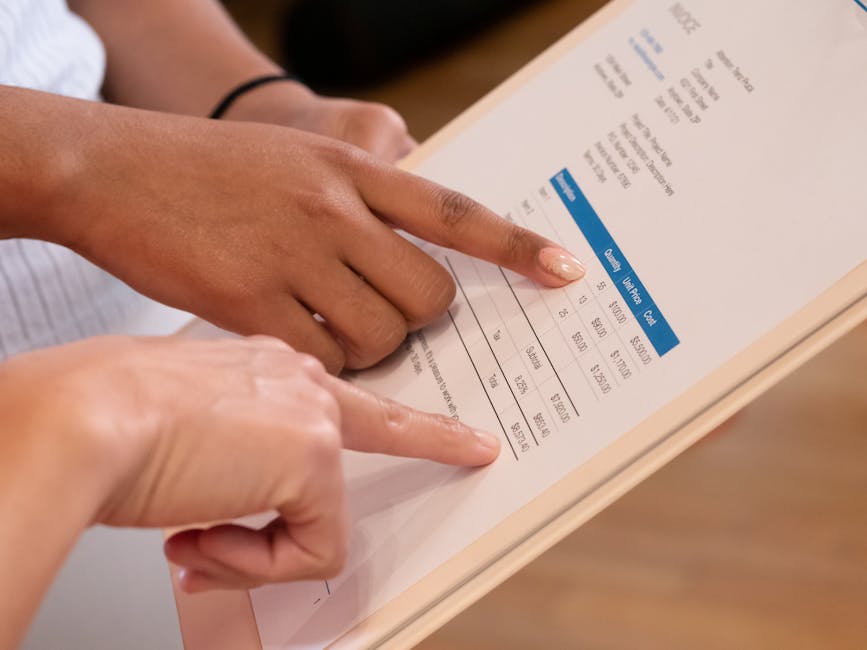
Build a billing tour around a traceable question
The most helpful structure moves from the charge the buyer cares about toward the information that explains it, or the other way around. Choose whichever order matches the question they asked. Someone who says, “Help me understand this total,” probably needs to see the invoice first. Someone evaluating the process behind a new pricing model may want to start with the commercial terms.
1. Name the scenario in plain language
Begin with a sentence that sets expectations: “See how our team reviews a subscription charge and the resulting invoice.” This tells the buyer what they are about to inspect. Avoid an opening screen that promises to show the entire billing platform when the tour covers only one path.
Specify the role represented in the example. If the screens show an administrator’s view, say so. That prevents a buyer from assuming the same controls would appear for every user. If your product has distinct views for account management and finance, decide whether this tour needs both or whether separate tours would be clearer.
2. Show where the relevant commercial terms appear
If your product displays a plan, billing period, account quantity, usage rule, or other pricing input, make that information visible before explaining the invoice. A finance buyer needs to know what the amount is based on, not merely where the finished total appears.
Be precise in the step copy. “This field shows the billing period used in the example” is more useful than “Our flexible billing engine handles everything.” If a term is set elsewhere, name that handoff rather than drawing an unsupported line between screens.
3. Explain the path to the invoice
Use the next steps to show how a user moves through the relevant product interface. The aim is orientation: where would someone look, which record would they open, and what information would they inspect? Keep the explanation close to the visible screen. Do not use a caption to claim a behind-the-scenes calculation that the tour does not actually show.
If the product displays usage, a change to a plan, or an adjustment, those may deserve their own steps. If it does not, keep the path narrower. A credible walkthrough is a truthful subset of the product, not an illustrated wish list.
4. Make the invoice legible
When an invoice is the point of the tour, give the buyer enough time and context to inspect it. Identify the line or field relevant to the question, then explain what the buyer can infer from it. An annotation that covers the amount, period, or account identifier defeats the purpose of showing the invoice.
Consider whether the buyer needs to see an invoice summary, a detailed line item, or both. Those are different questions. A summary helps someone orient themselves; a line item helps them understand a charge. If the buyer wants to reconcile a total, a polished summary alone may not be sufficient.
5. Include an exception only when you can show it accurately
Finance evaluations often become serious at the point where the straightforward example stops being enough. A buyer may ask what happens after a plan change, a disputed charge, or an unsuccessful payment. If your product has a screen that answers the question, a separate branch or follow-up tour can be useful. If the answer depends on configuration, integrations, or a manual process, arrange a live review with the appropriate specialist instead.
Do not squeeze every possible exception into one first-look walkthrough. Choose the issue that matters to this account and keep the central billing path easy to follow.
6. End with the buyer’s next question
The closing step should not pretend the tour completed a full evaluation. Invite a specific next action: ask the team to review a particular invoice scenario, request a conversation about how a billing change is handled, or share the walkthrough with the person responsible for approval. A narrow, useful call to action respects the work the finance buyer still needs to do.
How to create the walkthrough in DemoGo
DemoGo is a desktop interactive demo builder for step-by-step SaaS walkthroughs. Its creation flow is straightforward: capture a page, add steps, customize the tour, and share it. You can create the experience without writing code or installing a browser plugin, and self-hosting is an option when you want to deliver the tour on your own website.
- Agree on one buyer question. Ask the account team what the finance stakeholder requested. Write the answer as a single sentence before selecting screens. This prevents the tour from becoming a second, smaller version of the generic product demo.
- Choose a safe example. Prepare the product view you intend to show. Remove or replace real customer names, confidential amounts, payment details, and other information that should not travel in a shareable asset. A captured screen deserves the same review as any other externally published content.
- Capture the relevant pages. Follow the real user path needed to answer the question. Include a screen because it contributes evidence or context, not because it looks impressive.
- Add guided steps. For each step, tell the buyer what to inspect and why it matters. Keep claims tied to what the captured page actually shows. If the workflow crosses teams or systems, explain the boundary clearly.
- Customize for the role. A controller may care most about identifying a charge, while a finance leader may want a higher-level view of the process and the points requiring oversight. Adjust the sequence and language to the audience rather than rewriting product behavior.
- Review the tour with product and finance specialists. Ask whether the screens are current, the explanation matches the application, and the scenario answers the buyer’s original question. An expert review is particularly important for descriptions of charges, credits, and payment states.
- Share it where the buyer will use it. Send the guided demo in a relevant follow-up, or place it on a suitable page of your website. When hosting and distribution are part of the buyer’s security review, plan the publication route before sending the link.
If several stakeholders need separate views, resist building one sprawling tour. A concise finance path can sit alongside a broader product tour or another role-specific path. Our guide to reusable demo modules offers a way to organize related stories without making every buyer walk through all of them.

What a good example looks like, without inventing product behavior
Imagine a SaaS company whose buyer asks, “How would our finance team review a charge after the subscription changes?” The team could create a short, hypothetical demonstration using approved sample account information. It might open at the account record, move to the view showing the relevant commercial term, and finish at an invoice view that the product actually displays.
The annotations would distinguish what is visible from what needs further discussion. For example: “This screen identifies the account and billing period used for this example,” followed by, “Here is the invoice detail our user can inspect.” If the buyer then asks how a change is calculated, the sales team should demonstrate that calculation only if the product and the selected scenario support the explanation. Otherwise, that question belongs on the agenda for the next working session.
This is more useful than inserting a neat arithmetic example into a tour and allowing the buyer to assume it represents the vendor’s actual billing logic. Illustrative numbers can help explain a concept, but they cannot validate a product’s calculation. When sample values are used, make it clear that they are sample values and keep the visible screens internally consistent.
Interactive walkthrough, video, or live demo?
These formats answer different questions. The right choice depends on how much control the buyer needs and whether the discussion calls for a repeatable explanation or a live test.
| Format | Best suited to | What to watch for |
|---|---|---|
| Focused interactive walkthrough | A finance stakeholder inspecting a selected billing path at their own pace | The tour must accurately reflect current screens and stay within its stated scope |
| Recorded video | A presenter explaining a sequence or providing narrative context | The buyer follows the presenter’s timing and may have to search for the relevant moment |
| Live product demo | Detailed questions, unusual scenarios, and discussions that require a specialist | It requires coordination and can drift into unrelated features |
| Trial or working environment | Validating behavior through direct use under agreed conditions | Access, setup, permissions, and suitable test data must be managed |
For the initial question in this article, the focused interactive walkthrough is the best starting point. A live session can follow when the buyer needs to challenge assumptions, inspect configuration, or test an edge case. For a closer look at what belongs in each format, see our comparison of product tour video and interactive demos.
Best practices for a finance buyer’s first review
Lead with the charge, not the homepage
A product homepage or dashboard may be useful for orientation, but it should not consume the first part of a billing-specific tour. Put the finance question in the opening step. If the buyer asked about an invoice, get to the invoice and the information needed to interpret it.
Use visible evidence for every meaningful claim
Make a distinction between “this screen displays an invoice status” and “this system automatically resolves every payment exception.” The first can be evaluated from a suitable screen. The second would require a much broader demonstration. This discipline protects buyer trust and helps your team identify questions that deserve a specialist’s answer.
Keep sample information consistent across screens
If a tour moves between an account view and an invoice view, the sample account, period, and relevant terms should line up. Inconsistent examples make the buyer spend time investigating the demo instead of understanding the workflow. For a deeper approach to safe examples, read our guidance on using synthetic data in product demos without misleading buyers.
Protect sensitive information before capture
Review every page you intend to publish, including names in menus, notifications, account identifiers, and background tabs. Self-hosting gives your team control over where the finished tour is delivered, but it does not make sensitive information appropriate to publish. Content review and hosting decisions are separate responsibilities.
Give the buyer a route to deeper proof
A short tour should make the next conversation better, not conceal the need for one. If the buyer must verify a complex pricing rule, review permissions, or inspect how your product handles corrections, offer a focused live session. The tour gives everyone a shared starting point and a more precise list of open questions.
Maintain the asset when billing screens change
Billing-related screens can be especially sensitive to outdated labels or sample terms because buyers use them to assess financial processes. Give the tour an owner, review it when the relevant interface changes, and retire steps that no longer match the application. Our demo freshness guide explains how to make that review repeatable.
How to tell whether the tour helped
Views alone cannot tell you whether a finance stakeholder got an answer. Decide what success means for this specific walkthrough before distributing it. Useful questions include:
- Did the buyer reach the screen that answers the original billing question?
- Which step prompted a follow-up question, and was that question about the product or unclear tour copy?
- Could the buyer explain the relationship between the selected terms and the invoice view?
- Did sharing the tour help the finance stakeholder involve the right colleague?
- Did the next meeting move to substantive exceptions rather than repeating basic navigation?
DemoGo includes an analytics dashboard for insights into prospect interactions. Treat those interactions as clues about where the tour is useful or confusing, not as proof of purchasing intent. A buyer who revisits an invoice screen may be interested, puzzled, or checking a requirement. Ask what they need clarified. Our article on separating tour engagement from purchase intent goes further into that distinction.
Frequently asked questions
Can an interactive walkthrough replace a full billing demo?
It can replace a broad introductory tour for a finance stakeholder whose immediate goal is to see one billing path. It should not replace a working session when the buyer needs to validate calculations, unusual contract terms, integrations, or operational exceptions.
Does the finance buyer need a product account?
A shareable guided walkthrough lets the buyer examine selected product screens without being provisioned into the SaaS application being shown. Access to an actual working environment is a separate decision if the evaluation advances to hands-on testing.
What should the first billing walkthrough include?
Start with the buyer’s specific question. Common candidates are the relevant account or pricing view, the path to the invoice, and the fields needed to interpret a charge. Add an exception only if it matters to this buyer and you can explain it accurately.
Should we show usage charges, credits, taxes, and payment failures in one tour?
Not by default. Include only the elements your product actually shows and that matter to the question being answered. Several short paths are easier to review than one overloaded tour that asks a finance buyer to keep unrelated scenarios in mind.
How do we keep the demo credible when we use sample data?
Label examples plainly, use internally consistent account and invoice details, and avoid suggesting that a sample outcome proves a calculation your audience cannot inspect. Review the finished screens for sensitive information before sharing them.
When is self-hosting relevant?
Self-hosting matters when your team wants control over where its interactive tour is delivered. It is still important to review the content itself, decide who may access it, and follow your organization’s publication process. Hosting location and content safety solve different problems.
What is the best next step after a buyer finishes the tour?
Ask what remains unanswered. A request to understand an invoice line might lead to a specialist-led review of that line. A concern about exception handling might call for a focused working session. The best follow-up follows the buyer’s question rather than sending another general product overview.
Give finance the workflow, then invite the deeper review
A SaaS finance buyer should not have to sit through an entire product presentation to find the billing screens that matter to their decision. Build a short, accurate, self-paced walkthrough around one finance question, show only the relevant interface, and reserve live time for the cases a guided tour cannot settle.
If you are ready to create that asset, DemoGo offers a free starting plan for building a step-by-step interactive tour, with desktop creation, plugin-free use, and the option to self-host the finished experience.